Find the level number, then test the food action
Use the food action, but watch a level or growth progress display while you eat. Note the value, eat for a short stretch, and read the same value again. If it rises, you know that action is moving your progress in this session. If it stays put, check that the food action registered and that a tutorial prompt is not holding you at another task.
The developer’s Roblox description tells players to eat, grow, and buy food. Players have also described eating as training while they level. Start there, then let the number on your own screen settle the question. The public description gives no food-per-level formula or level cap.
Read the level, not just your avatar’s size
A larger avatar is hard to miss. It still cannot replace a number labeled Level. The creator’s Custom Fat Size! pass advertises a size range from 1 to your current level, which treats size and level as related but separate values. Its description gives no door-power or level-gain effect for changing size.
Look for the value the game actually labels as a level. Keep it separate from other numbers you might see while playing:
| Display or change | What it can tell you | What it cannot prove on its own |
|---|---|---|
| A value labeled Level increases | Your level has advanced | The exact food-to-level formula |
| Your avatar looks larger | Your appearance changed | That the level number increased by a specific amount |
| A door breaks farther down the route | Your current run reached farther | That a level, rather than a fart purchase or another change, caused it |
| A shop balance changes | You gained or spent a resource | That this number is your level |
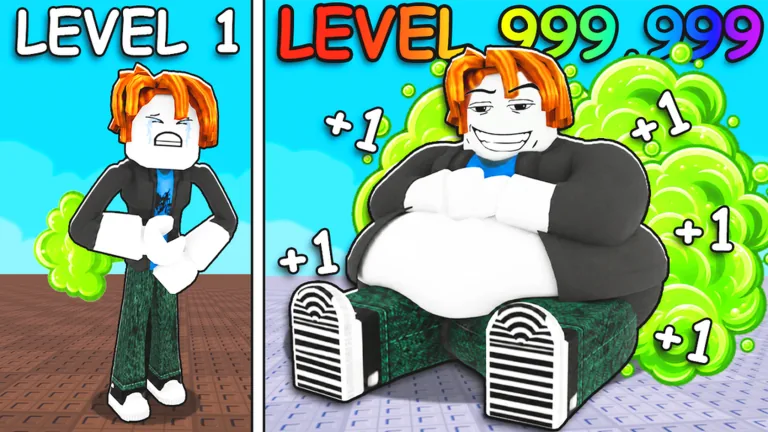
If you cannot find a level label yet, finish the opening tutorial and inspect the interface again. The huge number in the game’s thumbnail is artwork, not a target to copy into your own progress plan.
A short test for real level progress
Use the same short test before and after a food purchase. You will have an actual comparison instead of judging only by the character model.
- Record the starting level. Read the number the interface labels as Level or the clearest progress display associated with growth. Avoid mixing it with wins, shop balance, or door position.
- Use one food action repeatedly for a short stretch. Follow the control prompt shown on your device. Keep the same food selected while testing.
- Check the same display again. If the value rises, repeat until you understand how that action feels in your current session. If it stays still, verify that the action registered and that a tutorial objective is not blocking your next step.
- Inspect the next ordinary food option. Read the current item’s effect and requirement. Buy it only when you know what you are trying to improve.
- Run the same comparison again. A change in the displayed progress after one purchase gives you a useful before-and-after result. Changing food, fart, pet, and boosts together hides which one mattered.
The public description gives no fixed gain per bite or complete food table. Read the effect on the current shop item, then use the food guide for that purchase decision. Your level number tells you whether growth happened, not which food is always best.
When eating does not seem to help
First, check that the character actually performs the food action. If you see no response, use the on-screen control hint rather than a key from another device. If an opening prompt asks for another task, complete it and then retry your level test. A tutorial instruction that remains active can make ordinary progress harder to interpret.
Next, compare the same number each time. Door position, wins, shop balance, and level track different things. If a food purchase is available, read its displayed effect and make sure it is the item you intend to test. A food price quoted in an older video may have changed.
Finally, if the level display changes but doors remain difficult, you have a different problem. Return to the door route and check what stops you there. The door-breaking guide explains how to distinguish an input problem from a stalled door. The beginner guide connects the level and door loops without turning one into a guaranteed formula for the other.
Keep later boosts in their own lane
Players also discuss pets and rebirth as later progression choices. Check your level before and after trying one of them if you want to measure its effect. The store’s x2 Training wording is narrower than a promise to double every level gain; read the current effect and test the labeled display.
This is especially useful before a rebirth. A rebirth can change progression in many simulator games, but this game’s public materials do not specify its current reset cost or level bonus. Use the rebirth guide to check the live offer before making that decision.
FAQ
What should I do first to level up in +1 Fart to Break Doors?
Use the food action shown in your session, then check the value labeled Level or the current growth progress display. The developer confirms eating and growing, while your interface shows whether the action advanced your level.
Does getting visibly bigger always mean I gained a level?
Check the level number alongside your appearance. The separate Custom Fat Size! option means a large avatar alone is a poor level reading.
How much XP does each food give?
The public game description does not provide an XP amount or per-food formula. Read the current food option and compare the same progress value before and after eating.
Is there a maximum level?
No confirmed level cap is given in the public materials used here. Use the live level display and current game interface rather than a thumbnail or an older player’s milestone.
Why did I level up but fail at the same door?
A level increase and a door clear are different observations. Test the door again, inspect its feedback, and compare the available fart upgrades before assuming a particular level guarantees a break.