Expect size control up to your current level
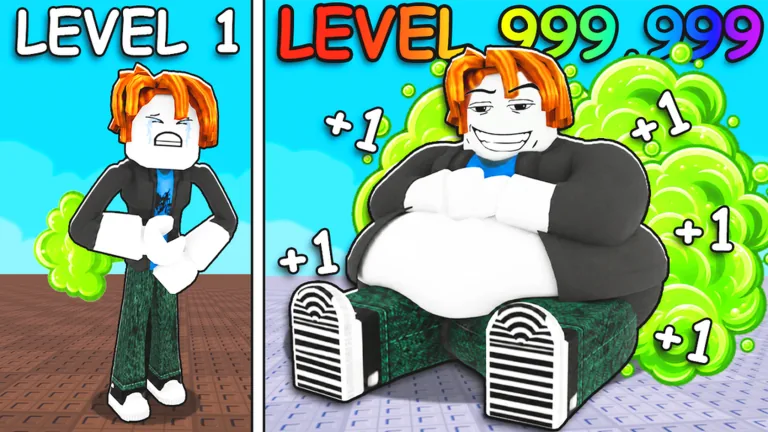
Custom Fat Size! advertises a size you can choose from 1 up to your current level. Check your level in +1 Fart to Break Doors, then look for the size control in the current game before buying. The store text promises a range; it says nothing about extra fart power, faster training, walking speed, or easier doors.
The official pass listing showed 59 Robux and was for sale in September 2026. Check the live price now. A player in one session mentioned buying a custom-size option, but did not explain the control or show what changing size did to game stats.
Separate the level number from the chosen size
Your level sets the upper end of the advertised range. Your selected size is a separate choice within it. Setting size to 1 need not reset your level, and a larger avatar does not prove stronger door-breaking power. Read the level number and size setting separately.
| Item to inspect | What the description establishes | What the live game should clarify |
|---|---|---|
| Lower limit | Size can range from 1 | How the control presents the lower end |
| Upper limit | Your current level bounds the range | Which level value it reads and when it updates |
| Selected size | The pass advertises customization | How to choose and save a value now |
| Gameplay effect | No stat effect is stated | Whether any labeled stat or comparable door result changes |
If you want a smaller avatar without changing your progress, inspect the live control to see how it handles that choice. Appearance alone cannot tell you that you gained or lost a level.
Decide what you want from the pass
Want more control over your avatar’s look? Compare your current size with your level before deciding. A low-level account has a smaller advertised range than a high-level one because the upper bound is your current level. Check that the available range gives you a choice you actually want.
If a door is your problem, inspect the ordinary eat-and-upgrade loop first. The level-up guide helps you measure growth; the fart upgrades guide covers regular purchases. Buy a size pass for its stated size control. For any power claim, change size in game and test the same door rather than trusting someone else’s large avatar.
Already own it? Note your level, any visible fart or training value, and the farthest door you can reach. Change only the size setting, then repeat a similar door attempt and compare those same displays. If only appearance changes, that is what your test showed in that session. If a stat moves, read its label and repeat without a new food purchase or temporary boost.
Find and check the current control
Confirm that Roblox marks pass ID 1912228324 as owned on your playing account. If the game has not caught up, rejoin and check the menus for the size setting. The store card gives no control layout, so look for the live label rather than a slider or button from an older screenshot.
Choose a value within the displayed range and watch both avatar size and your level display. If the setting seems rejected, compare it with your current level and any on-screen limit message. If you cannot locate the setting, check the current pass card and game help text before buying the same pass again. Ownership, menu access, and gameplay effect are three different checks.
VIP is a different offer: it includes a golden food plate and advertises x2 Training. Custom Fat Size’s card does not make that training claim. The VIP guide covers its four perks, and the gamepasses overview puts both in the September 2026 store list.
FAQ
What does Custom Fat Size do in +1 Fart to Break Doors?
The creator advertises choosing a size from 1 to your current level. Find the current size control in game to see how that range is presented on your account.
How much is the Custom Fat Size gamepass?
It was listed for 59 Robux in the September 2026 snapshot. Check the live official Roblox pass page for today’s price and sale state.
Does changing size increase fart power?
The pass description states a size range but no power effect. Compare the same labeled stat and a similar door attempt before and after changing only size.
Can I choose a size above my level?
The advertised upper bound is your current level. Check the current in-game limit message if a larger entry is unavailable.
Does selecting size 1 reset my real level?
The listing describes customizable size, not a level reset. Verify by checking your level display before and after you use the current size control.