Eat first, then buy food for a clear reason
Start with the food you already have. Eat for a short stretch, watch the growth display, then try the doors. If progress slows, compare the next ordinary food in the live shop with your current choice. The developer’s Roblox description confirms the basic connection: eating makes you bigger, and you can buy new food.
It is tempting to buy every food as soon as it unlocks. Try eat, note the result, buy one item, and repeat instead. You will know whether that purchase changed the result you care about, even if an update has rearranged the shop.
Understand what food is doing in your session
The game page links eating with growth but gives no fixed levels per food, size-to-damage rule, or door-specific food requirement. Watch a labeled value instead. For leveling, compare your level before and after eating. For doors, remember where the old run stopped and test the same route with the new food.
Growth and door progress can move independently. A new food might change your growth display without clearing another door; a better run might reflect some other change. Keep the two readings separate:
| Your immediate goal | Measure before buying | Measure after buying |
|---|---|---|
| Grow or level up | The same labeled growth or level value | Whether that value increases during a comparable eating stretch |
| Reach a farther door | Your stopping point on the current route | Whether the same route ends farther after the change |
| Decide whether food beats another upgrade | The result with your present food and fart setup | The result after changing only the food choice |
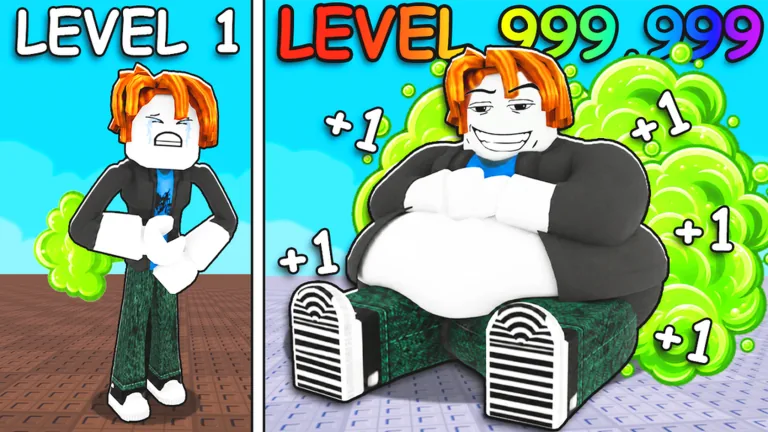
Avatar size gives you a quick visual cue. Read the level, door progress, and shop balance as separate displays before deciding what improved.
Compare ordinary food options in the shop
In the food menu, read the item name, requirement, and displayed effect before spending. The developer confirms new food purchases, but publishes no lasting price list or upgrade order. Food names and costs heard in an older player session can differ from today’s shop.
Use this order for a purchase decision:
- Identify your present limit. Is the growth display moving too slowly, or are you testing whether more growth helps a particular door?
- Read the current food card. Check what it says the item changes and whether you meet the displayed requirement.
- Keep the comparison fair. Use your present food for a short, uninterrupted period and note the same progress value you will check afterward.
- Buy one ordinary food option if it addresses the limit. Avoid changing your fart, pet, or temporary boost during the same comparison.
- Test again. Use the new food for a comparable period, then repeat the relevant door run if doors are your goal.
If an item card gives no effect, its name cannot supply a multiplier. A small, affordable choice can still be tested against the same display. For a costly one, first decide what improvement you need and what the current menu actually promises.
Know when food is no longer the immediate fix
For a stalled door, check whether eating registers and moves your growth display. Try the route again. If you still stop at the same door, inspect fart options too. They address a different part of the loop; the fart upgrades guide helps compare them.
Likewise, if your level number rises but you still cannot clear a door, avoid treating level as a published damage formula. The level-up guide explains how to identify a real level increase. The door-breaking guide helps you check whether the door action or your current setup is the actual limit.
The paid OP Food listing is separate from ordinary food in the shop. Its name gives no specific food, level multiplier, or permanent boost. Read the live pass card and the OP Food game pass guide before spending Robux.
If eating seems to do nothing
Begin with the action itself. Use the prompt shown on your device and look for a response from the character or the relevant progress display. If an opening tutorial prompt is still active, complete its requested step before measuring your food routine. If the action registers but the displayed value stays still, make sure you are watching the value connected to growth rather than wins, door position, or a shop balance.
After a purchase, check that the new option is actually the one your session is using. Read any selection or activation state the interface provides. Repeat the same short test with only that one change. If neither the action nor the interface responds, rejoin the experience and test again before spending more.
The beginner guide places food in the full eat, door, and upgrade cycle. Use this page when your specific question is whether an ordinary food choice improves growth or helps the next door run.
FAQ
What does food do in +1 Fart to Break Doors?
The developer says eating food makes your character bigger and that you can buy new food. Check the live level or growth display to see how the food you are using affects your current session.
Which food should I buy first?
There is no verified universal first purchase in the public description. Read the current shop choices, identify what is limiting your progress, and test one affordable change against the same visible value.
Does a larger food always mean faster leveling?
Compare the level or growth display over similar eating stretches before and after purchase. The item’s size or name cannot establish its effect.
Why did a new food not help me break a door?
Check whether the food changed your growth display, then repeat the same door route. If growth changed but the door did not, inspect the fart options and the door’s current feedback instead of buying more food blindly.
Is OP Food the same as an ordinary food upgrade?
No. OP Food is a separate game-pass listing. Its exact benefit should be checked on the current official store card and in the game; an ordinary food purchase does not establish what the pass grants.